Bug #239
Escalate - Compensation Manager Signing Letter
Status:
Closed
Priority:
Normal
Assignee:
Saja Nakhleh
Start date:
09/25/2016
Due date:
% Done:
100%
Co-Workers:
Severity:
Normal
Category:
Compensation
Sub-Category:
Worklist
Step_Description:
Pre_Conditions:
Expected Result:
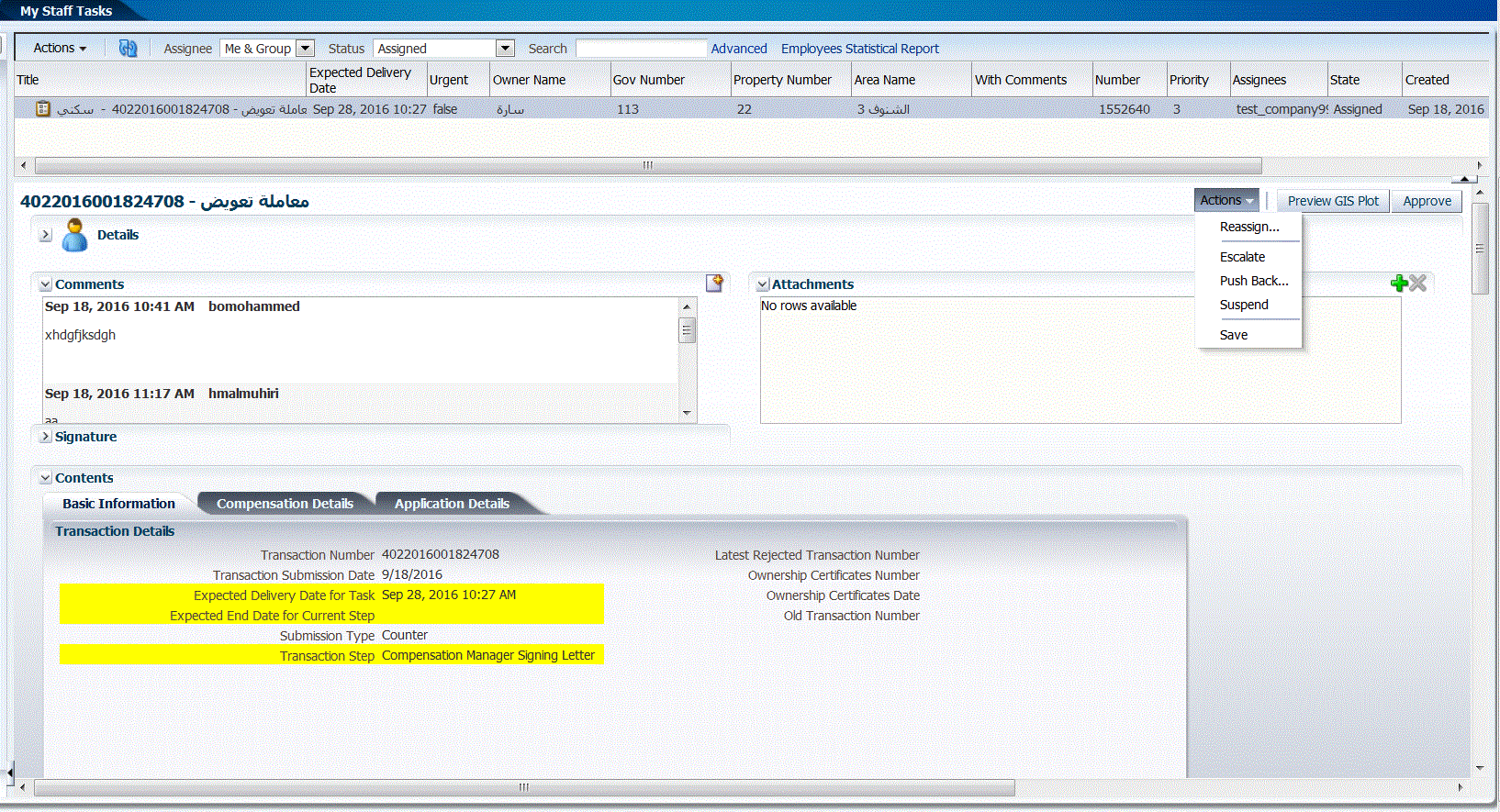
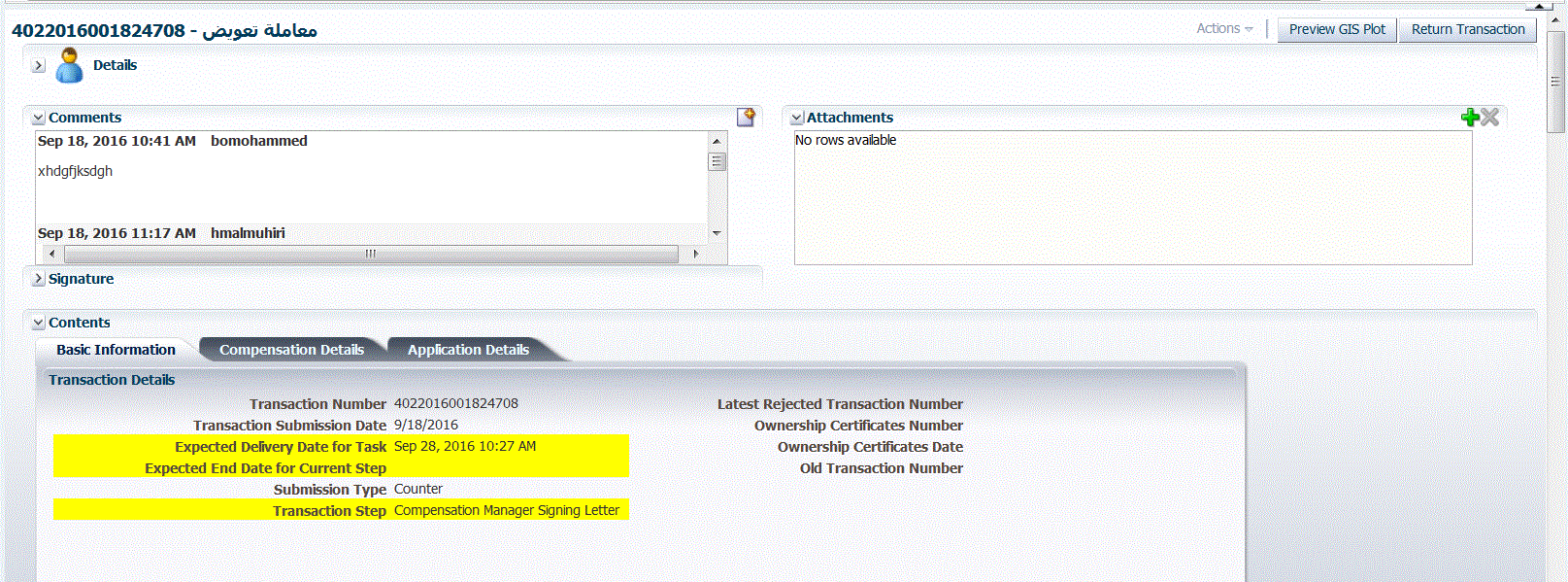
Only the "Return transaction" action should be available
Description
Steps:
1- Open a transaction assigned to [Compensation Manager Signing Letter]
2- Observe and Click the "Escalate" action
3- Using the manager user, Open the transaction and observe the available actions
History
#1 Updated by Hazem Shoushari about 10 years ago
- Status changed from Open to Fixed
- Assignee changed from Hazem Shoushari to Saja Nakhleh
- % Done changed from 0 to 100
- Environment Development added
- Environment deleted (
QA)
#2 Updated by Saja Nakhleh about 10 years ago
- Status changed from Fixed to Feedback
- Assignee changed from Saja Nakhleh to Hazem Shoushari
- Transaction Number changed from 4022016001824708 to 4022016001823286
Still duplicated !
#3 Updated by Hazem Shoushari about 10 years ago
- Status changed from Feedback to Fixed
- Assignee changed from Hazem Shoushari to Saja Nakhleh
#4 Updated by Saja Nakhleh about 10 years ago
- Status changed from Fixed to Feedback
- Assignee changed from Saja Nakhleh to Hazem Shoushari
Still duplicated !
#5 Updated by Hazem Shoushari about 10 years ago
- Status changed from Feedback to Fixed
- Assignee changed from Hazem Shoushari to Saja Nakhleh
#6 Updated by Saja Nakhleh about 10 years ago
- File 187.GIF added
Tested and verified. kindly consider the attached evidence.
#7 Updated by Saja Nakhleh about 10 years ago
- Status changed from Fixed to Closed